Why this site exists
Most "free" worksheet generators are not really built for the person using them. They are built for an ad network, an email list or an account database sitting quietly behind the page. You type a name, and before you get a PDF you have clicked through a sign-up wall, scrolled past a stock-photo homepage, or tried to find the real download button among unrelated advertisements. The worksheet itself becomes an afterthought.
CustomNameTrace began as a reaction to that. The idea was simple: type a name, see it rendered instantly and correctly, download a clean PDF, and leave. No account, no email capture, no dashboard to manage. The narrower frustration underneath was just as specific. Many name-tracing generators produce oddly spaced letters, guide lines that do not match where the font's tall and hanging letters actually fall, or a printed PDF that looks nothing like the on-screen preview. A worksheet where the letters do not sit on the lines properly is not a convenient shortcut. For the small person holding the pencil, it is actively confusing.
This page explains what we built, how the site is organized, the thinking about early handwriting that shaped it, and the decisions we made about privacy and cost. If you only want to start, the name tracing worksheet is the quickest way in.
What a name-tracing worksheet is really for
Before the engineering, it is worth being clear about the teaching goal, because every design decision on the site follows from it.
A child's name is usually the first written word that matters to them. It appears on their cubby, their drawings, their water bottle and their birthday cards. Unlike a random vocabulary word, it already has meaning, so the effort goes into the shape of the letters rather than into working out what the word is. That is why early-years classrooms so often begin writing with names. The motivation is built in.
Writing a name asks several separate skills to cooperate at once:
- Visual recognition. Knowing that these particular letters, in this order, mean me.
- Hand control. Holding a pencil with enough steadiness to follow a path, which develops over years and cannot be rushed.
- Letter formation. Starting each letter at the right place and moving in the right direction, so the habit is efficient later when writing becomes fast.
- Spatial placement. Knowing which part of a letter sits on the baseline, which reaches the top line, and which dips below.
- Left-to-right sequencing. Moving across the page in reading order, with space between words.
A tracing worksheet does not teach all of these equally. It is strongest at letter formation and spatial placement, because the child is following a model that already shows the correct start point, direction and size. It is weaker at visual recall, which is why the better sequences move from traced to copied to written from memory. Each worksheet type on this site is built around that progression rather than around a single, endlessly repeatable page.
 The same name in four tracing styles. Dotted trace gives the most support; fade asks the child to rely on memory sooner.
The skills that come before letters
A common source of frustration is handing a child a name-tracing page before their hands are ready for it. If a three-year-old grips the pencil in a fist and scribbles across the guide lines, nothing is wrong. They are at the stage where large arm movements come first and fine finger control comes later. A few signs that a child is ready for tracing letters:
- They can draw a vertical line, a horizontal line and a circle when asked, even if the shapes are wobbly.
- They can hold a crayon or pencil between the thumb and the first two fingers, even loosely.
- They can copy a cross, which usually appears before a square or a triangle.
- They show interest in "writing" their own name, even as a string of pretend letters.
If a child is not there yet, traced letters are still not harmful, but they may be more frustrating than useful. Play-dough rolled into snakes, drawing in sand, chalk on a sidewalk and painting with a wide brush all build the same strokes with less demand on precision. The tracing page can wait a few weeks without any loss.
How the site is organized
The site has four kinds of page, and knowing which is which saves time.
Generators. These are the pages that let you type your own text and download a custom worksheet. Name tracing, first name, last name, number tracing, sight words, months, days of the week and the rest all work the same way: choose a style, adjust the guide lines, preview, then print or download. The full list sits under the Worksheets menu in the header.
Galleries. These are collections of worksheets that are already made. Instead of typing, you browse. The names gallery is organized by country and gender, the sight words gallery by grade and list, the math worksheets by grade and operation, and so on. They are the right choice when you want something quickly and do not need a custom spelling.
Bundles. A bundle combines ten related worksheets into a single download. It exists because a child rarely learns a skill from one page, and printing ten at once is easier than ten separate downloads.
Teacher mode. Batch mode for teachers takes a pasted class list and produces one combined PDF with a personalized worksheet for every child.
 A ready-made worksheet from the names gallery. Typing a different name in the generator produces the same layout for any spelling.
What we actually built
Underneath the different worksheet types is one shared editing engine, not a pile of near-identical pages with the keyword swapped. A worksheet type is a small configuration that says which fields it needs, which tracing styles make sense for it and what guide lines suit it, plus a piece of real writing about that specific skill. Adding a new type means writing that configuration and that article, not building a page from scratch.
The editor draws a live preview in your browser as you type, using the same font and guide-line calculations as the final PDF. Making the browser preview and the printed page agree exactly took more work than anything else on the site. Browsers and PDF renderers measure fonts differently. Guide lines have to be calibrated for each font rather than placed by eye, so the tall letters reach the top line and the hanging letters, such as g, j, p, q and y, drop through the baseline where they should. A page that looks fine on a laptop also has to print correctly at Letter or A4 size with real margins.
The default look follows the paper children actually meet in school: a solid top line, a dashed or dotted middle line and a solid baseline. In many classrooms those lines are colored so a child can see where a letter should start and stop. The three-line pattern is not decoration. It teaches that letters have a height, and that some are tall, some are short and some go below.
The tracing styles, and when to choose each
Not every child needs the same amount of support, and the same child needs less support over time. The generators offer a sequence of styles so a family or classroom can move up gradually (some types also offer name pyramid and missing-letter styles, covered on their own pages):
- Dotted trace. The letters are drawn in dots the child follows with a pencil. Best for a first attempt, because the path is unmistakable.
- Solid model. A clear model of the word to copy beside the practice line. Best once tracing feels easy and the child is ready to produce the letter without a path to follow.
- Outline. Outlined letters the child can trace over or color in. Often popular with younger children who enjoy coloring, and gentle on a tired hand.
- Fade. The top row is dark and every row below it is a little lighter, so the support fades as the child works down the page. This is the bridge between tracing and writing from memory.
- Rainbow. Each row is drawn in a different color. It makes repetition feel like a game and helps a child keep their place.
- Trace, copy, write. A solid model row at the top, dotted rows to trace in the middle and an empty row at the bottom to write alone. It is a miniature lesson on a single page.
- Blank practice. One model of the word at the top, then empty guide lines to write on. This is the real test: can the child write the word from memory and place it correctly?
A useful rule of thumb: when a child can do a row cleanly three times in a row, move to the next style. When they begin to rush or get frustrated, step back one. Progress in handwriting is rarely a straight line.
How to use a worksheet well
Handwriting develops through short, calm, frequent practice. A few principles apply to nearly every page on the site.
Keep sessions short. Five focused minutes beat twenty tired ones. For a three- or four-year-old, one row may be plenty. Stopping while the child still wants to continue leaves them looking forward to the next page.
Say it aloud while you write it. Name the letter, then its sound, then the stroke. "Down, then a big curve, that's a." Talking connects the movement to the sound and the shape, which is more memorable than the movement alone.
Model before the child starts. Watch where a stroke begins and which way it travels. Most reversals, such as writing a b as a d or an S backwards, come from learning the shape without learning the movement. Forming it correctly the first time is far easier than correcting a habit later.
Praise the effort, then name one thing to try. "You stayed on the line really well. Next time let's start the E at the very top." One target at a time feels achievable; five corrections feel like failure.
Mind the grip and the chair. A child whose feet dangle and whose elbow cannot rest on the table tires quickly and grips tightly. A footstool or a thick book under the feet, and a table at roughly elbow height, often improves a child's handwriting more than any worksheet.
Let the left-handed child set the paper. Left-handed writers often do better with the paper tilted slightly to the right and with a pencil held a little higher so they can see what they have written. Each generator includes a left-handed option for the layout.
For parents at home
If you are a parent, you do not need a curriculum. You need a routine that fits a normal day. A reliable pattern is one short worksheet after a snack, at a table, with a real pencil and your own attention for the first minute.
Beyond the printed page, there are many ways to use the same letters. Write the child's name in highlighter on a sheet and let them trace over it in pencil. Spell it out in magnetic letters on the fridge. Find the first letter of their name on cereal boxes and street signs. A child who sees their name everywhere is learning to recognize it, which is the half of writing that sits before the pencil.
Resist the temptation to compare. Children reach pencil control at very different ages, and the range of normal is wide. If you have a particular concern about a child's fine motor development, an occupational therapist or your child's teacher is the right person to ask. A worksheet is a practice tool, not an assessment.
For teachers and classrooms
A classroom has the opposite problem to a home: many children, one adult and a limited amount of preparation time. The most useful features for a teacher are the ones that remove clerical work.
Batch mode turns a pasted class list into one PDF with a personalized page for each child, which makes name practice, labeled work folders and first-week activities a few minutes of preparation instead of an evening. The same engine powers the sight-word and months pages, so a reading group can have its own list personalized in the same way.
Used well, name tracing fits into a classroom in several places: a morning arrival routine where children find and trace their own name, a literacy center with a rotation of styles, a take-home folder in the first week and an assessment snapshot early in the year. A quick, informal check is to look at how a child forms the first letter of their name. It tells you a great deal about where they are with strokes and direction.
If you teach a mixed-ability group, use the different tracing styles on purpose. Give the child who needs support dotted trace, the child who is ready for more fade, and the child who is already writing blank practice, all on the same topic. They can sit at the same table doing the same activity at different levels, and no one needs to feel singled out.
For occupational therapists and specialists
Some of the people who use the site are professionals who want a specific tracing style for a specific goal. The range of styles, row counts, guide-line patterns and the option to switch off color for printer-friendly black and white is intended to make that practical. For example, a single baseline with no mid-line can suit a child who finds three lines visually busy, while four-line paper with a descender zone can help when letters like g and y are the focus.
We want to be clear about what the site is not. It is not a clinical tool, and nothing here is medical or developmental advice. It gives you a clean, printable page, and professional judgement about how and when to use it stays with the people who know the child.
Beyond tracing
Not everything on the site is about writing. The emoji pattern worksheets are pattern-recognition practice: a repeating sequence of icons where the child works out what comes next, from a simple AB pattern up to longer sequences. Pattern thinking sits underneath counting, skip-counting, early algebra and even rhythm in music, and it is a gentle first step into mathematical reasoning.
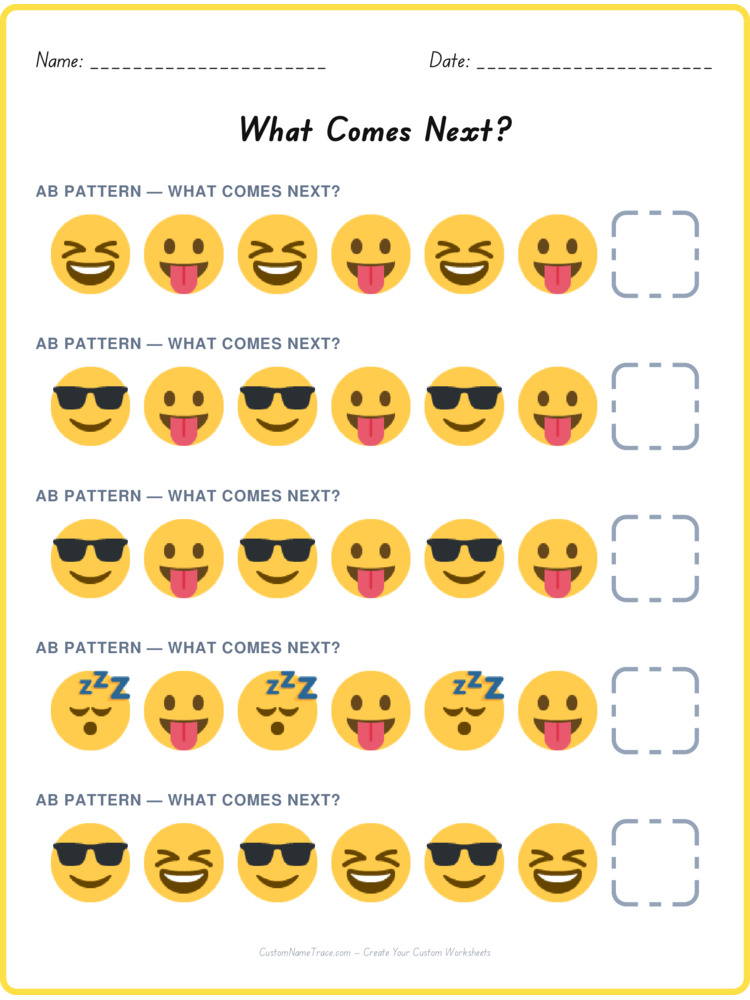 An AB emoji pattern worksheet. Spotting the rule is the skill, not copying the next shape.
The math worksheets run from kindergarten addition and subtraction to third-grade multiplication and division, with the number range at each grade based on the standard progression teachers already use, and the logic worksheets offer picture puzzles, sequences and number patterns for children who enjoy thinking problems through.
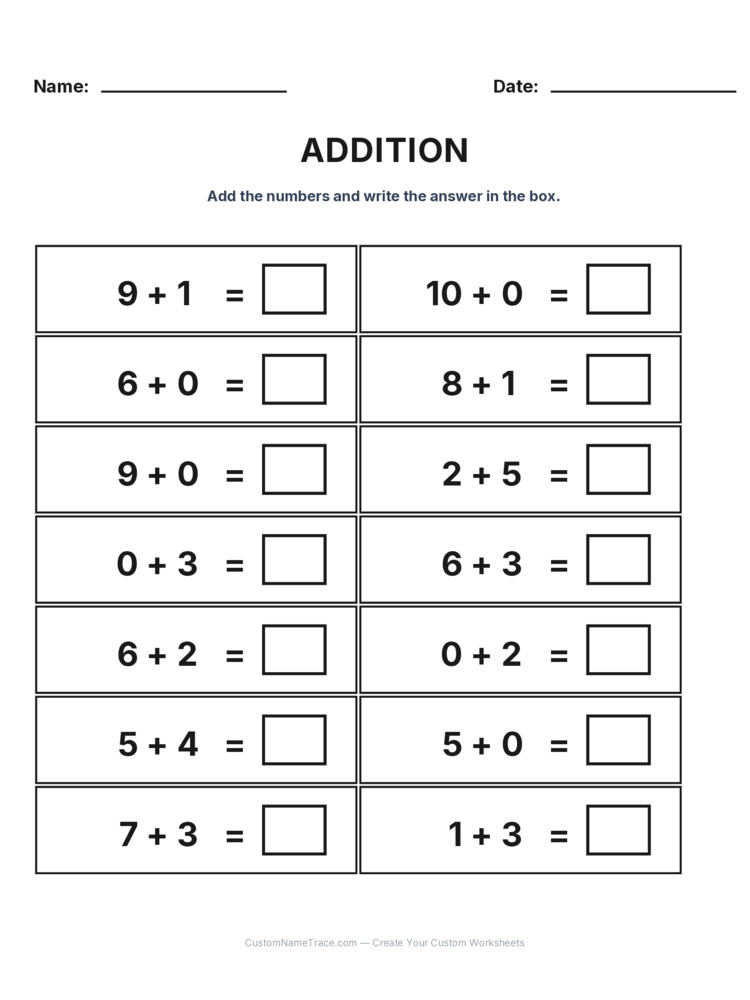 A kindergarten addition worksheet. The numbers stay within ten so the focus is on the idea of adding, not on hard arithmetic.
How we write the guides
Every worksheet type and every gallery on this site has a written guide, and we hold those guides to a few rules.
- Each page is written for its own topic. A last-name guide does not reuse the first-name guide with a word swapped. The problems are different, so the advice is different.
- We avoid invented numbers. We do not claim a worksheet "improves handwriting by" any percentage, and we do not cite studies we have not read. Where a number appears, such as a grade-level number range, it describes how the worksheet is built.
- We say what we are not sure of. Children vary, and the honest answer to many handwriting questions is "it depends on the child."
- We keep the practical steps concrete. A guide is useful if a tired parent can follow it at the kitchen table.
If you find a mistake, a claim that seems too strong or something that does not match your experience in a classroom, please tell us through the Contact page. Corrections make the guides better.
The privacy decision, explained
The biggest architectural decision behind this site is that it has no database of user content. What you type into a worksheet field is sent to our server once, to render a preview or generate a PDF, and it is never written to disk, logged or stored after that request finishes. That is not a policy promise we might revise later. It is a structural fact about how the application is built, described in more detail in our Privacy Policy.
We think that is the right default for a tool that so many children's names pass through. A child's name, a phone number practiced for safety and a family's details are exactly the sort of thing that should not end up in somebody's analytics.
How this stays free
Running the site costs real money: hosting, fonts, and a lot of time spent calibrating one font's baseline against two different rendering engines. Our intention is to cover that with a small number of clearly labeled advertisements rather than with a subscription, a paywall or a "free tier" designed to push you toward paying. We would rather have a genuinely free tool with a couple of ads at the edges than one that is technically free but keeps interrupting you to upgrade.
If the balance between content and advertising ever drifts the wrong way, we want to hear about it. It is a balance we intend to keep, not a decision we made once and forgot.
What's next
We add worksheet types deliberately rather than quickly. Each one gets its own configuration and its own written guide, which is slower than mass-producing pages around keywords, but that slowness is the whole point of how the site is built. If there is a worksheet you wish existed, or something that does not render correctly on your printer, the fastest way to reach us is the Contact page. You can read more about the person behind the site on the Team page, and many practical questions are answered in the FAQ.
Thank you for using it, and for trusting us with something as small and important as a child's name.
 Written by


